

The American college experience is a vibrant tapestry of learning, growth, and, let’s be honest, often overwhelming deadlines. From juggling demanding coursework and part-time jobs to extracurriculars and a social life, students today face unprecedented pressure. The good news? Technology offers a powerful antidote to chaos. In 2024, digital productivity tools are no longer just a luxury; they are essential for navigating the academic landscape efficiently and maintaining mental well-being.
This semester, instead of drowning in to-do lists and missed deadlines, imagine a streamlined workflow where every assignment, study session, and project is under control. This isn’t a pipe dream. With the right digital arsenal, US college students can transform their academic journey from stressful to seamless. And when you need that extra edge, like refining your ideas or crafting a compelling introduction, essay writing service online can provide the expert guidance to make your work shine.
Let’s dive into the top 7 digital productivity tools that every US college student should consider integrating into their routine for a truly stress-free and successful semester.
1. Notion: The All-in-One Workspace for Academic Life
Why it’s a game-changer: Notion isn’t just a note-taking app; it’s a customizable workspace that adapts to your every academic need. Imagine a single hub where you can manage your entire semester: course schedules, assignment trackers, project wikis, reading lists, and even personal goal setting. Its flexibility means you can design dashboards tailored to your specific courses, track deadlines with Kanban boards, and link related notes seamlessly.
Data Point: According to a survey by The Princeton Review, organization and time management are among the top five challenges faced by college students (The Princeton Review, 2023). Notion directly addresses these pain points by centralizing information and fostering a structured approach to academics.
2. Grammarly: Your AI-Powered Writing Assistant
Why it’s a game-changer: In the competitive environment of US universities, clear, concise, and error-free writing is paramount. Grammarly goes beyond basic spell-checking. Its AI-powered engine offers real-time suggestions for grammar, punctuation, style, tone, and even conciseness. For students grappling with complex academic papers, dissertations, or even just emails to professors, Grammarly is an invaluable safety net, ensuring your message is always professional and impactful.
Data Point: A study published in the Journal of Educational Computing Research found that students using grammar-checking software showed significant improvement in writing quality and reduced grammatical errors (Lee & Spires, 2018).
3. Zotero: Mastering Research and Citations
Why it’s a game-changer: Research papers are the backbone of many college courses, and managing sources can be a nightmare. Zotero is a free, open-source reference management tool that helps you collect, organize, cite, and share research sources. It integrates directly with your browser to save articles, PDFs, and webpages with a single click. When it’s time to write, Zotero generates citations and bibliographies in various styles (APA, MLA, Chicago, etc.) directly in your word processor, saving hours of tedious formatting and preventing accidental plagiarism.
Data Point: The University of Maryland Libraries report that students spend an average of 3-5 hours per research paper on citation formatting alone (University of Maryland, 2023). Zotero drastically cuts this time.
4. Forest: Cultivating Focus with a Gamified Timer
Why it’s a game-changer: Distractions are everywhere, especially with smartphones constantly vying for attention. Forest is a unique app that uses the Pomodoro Technique (25 minutes of focused work, 5 minutes break) to help you stay off your phone. When you start a timer, a virtual tree begins to grow. If you leave the app before the timer is up, your tree dies. This gamified approach provides a powerful incentive to stay focused, and as you successfully complete tasks, you grow a lush forest, visually representing your productivity. The app also partners with a real tree-planting organization, adding a charitable incentive.
5. Google Drive (Docs, Sheets, Slides): Seamless Collaboration and Cloud Storage
Why it’s a game-changer: Google Drive is virtually ubiquitous in US academia for a reason. Its suite of applications (Docs, Sheets, Slides) allows for real-time collaborative editing, making group projects infinitely easier. No more emailing different versions of documents back and forth. Everything is stored securely in the cloud, accessible from any device, ensuring you never lose a crucial file. For students working on joint presentations or shared research notes, Drive is non-negotiable.
Data Point: A survey by the EDUCAUSE Center for Analysis and Research (ECAR) found that 88% of US college students use cloud-based services for academic purposes (EDUCAUSE, 2022).
6. Calendly: Simplifying Scheduling and Appointments
Why it’s a game-changer: Between professor office hours, group meetings, club activities, and personal appointments, scheduling can be a major time sink. Calendly eliminates the back-and-forth emails by allowing others to book time with you based on your pre-set availability. You simply share a link, and they choose a slot that works for both of you, which then automatically adds to your calendar. This is invaluable for setting up study groups, meeting with academic advisors, or scheduling interviews.
7. Todoist: Your Intelligent Task Manager
Why it’s a game-changer: While Notion can manage projects, Todoist excels at daily task management. It’s a minimalist yet powerful to-do list app that helps you capture, organize, and prioritize tasks. With natural language input (“write essay for history class tomorrow at 2 pm”), recurring tasks, and priority levels, Todoist ensures nothing falls through the cracks. Integrating it with your calendar provides a complete overview of your daily commitments.
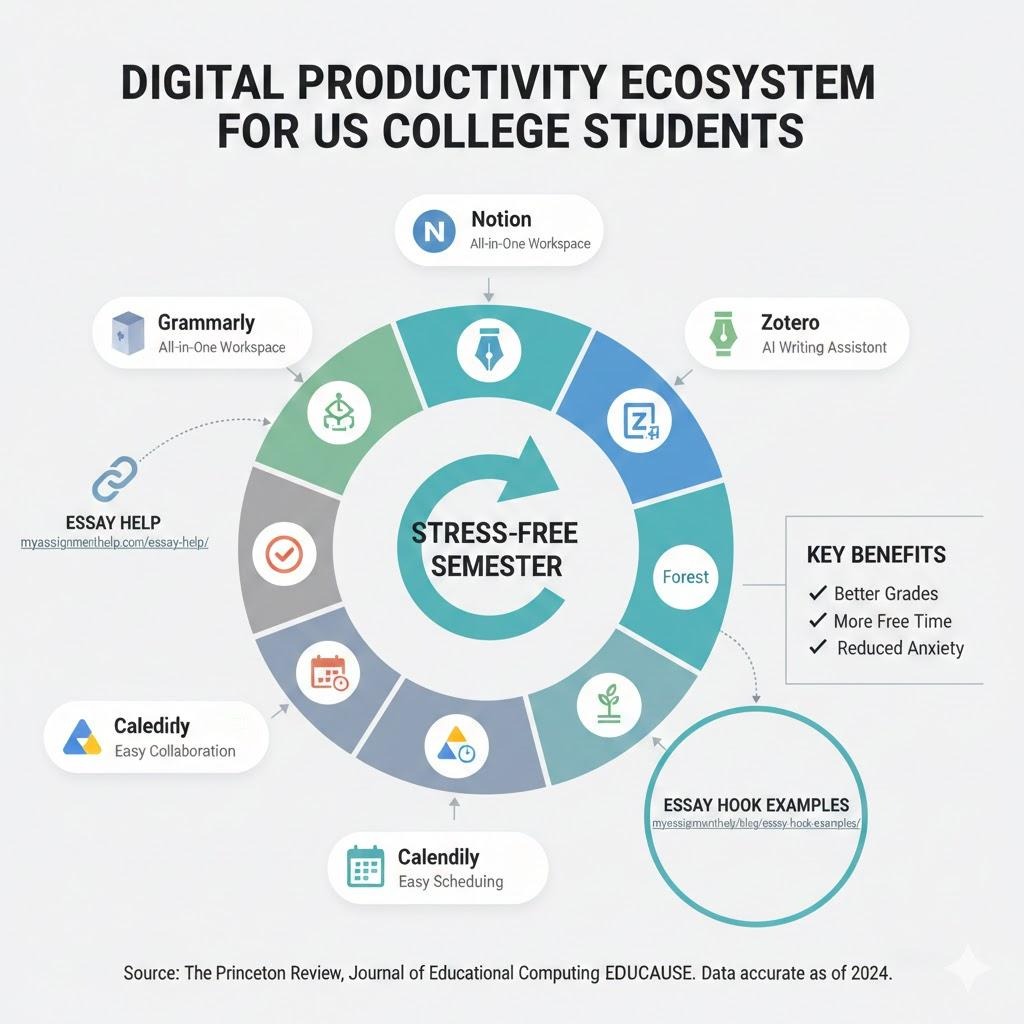
Visualize Your Productivity Boost!
Beyond the Tools: Crafting Compelling Content
While these tools provide the framework for efficiency, the quality of your academic work still hinges on strong content. Remember that even the most well-researched essay needs a captivating beginning. If you’re struggling to grab your reader’s attention from the outset, check out these insightful essay hook examples to make your introductions truly stand out.
Key Takeaways
- Centralize Your Workflow: Tools like Notion provide a single hub for all academic information, reducing mental clutter.
- Refine Your Writing: Grammarly ensures polished, error-free submissions, crucial for academic success in the US.
- Streamline Research: Zotero takes the pain out of citations, saving valuable time and preventing plagiarism.
- Fight Distraction: Forest uses gamification to encourage focused study sessions.
- Collaborate Seamlessly: Google Drive’s suite is essential for group projects and cloud storage.
- Optimize Scheduling: Calendly simplifies appointments with professors and study groups.
- Master Tasks: Todoist helps you manage daily assignments and priorities effectively.
- Seek Expert Support: Don’t hesitate to use professional essay help for specialized guidance and to elevate your writing.
FAQ Section
Q1: Are these tools free for college students?
A1: Many of these tools offer free basic versions that are highly functional. Notion has a generous free tier, Grammarly has a robust free chrome extension, Zotero is completely free, and Google Drive comes with any Google account. Paid upgrades often provide additional features but aren’t always necessary for general student use.
Q2: How can I avoid spending too much time setting up these tools?
A2: Start small. Choose one or two tools that address your biggest pain points (e.g., Notion for organization, Grammarly for writing). Invest a short amount of time initially to learn the basics. Most tools offer templates and tutorials that can get you up and running quickly. The time invested upfront will save you much more time later in the semester.
Q3: Can these tools really help with academic integrity?
A3: Absolutely. Tools like Zotero help you correctly cite sources, minimizing accidental plagiarism. Grammarly helps you refine your language, ensuring your ideas are expressed clearly and uniquely. While these tools assist, remember that original thought and proper attribution remain the student’s core responsibility.
Q4: My university provides specific software; should I still use these?
A4: It depends. University-provided software (e.g., Microsoft 365, specific learning management systems like Canvas or Blackboard) should always be your primary tools for course-specific tasks. However, these 7 tools are designed for personal productivity and can seamlessly complement your university’s ecosystem, often filling gaps in features or offering a more personalized workflow.
Sources & References
- INNOVAPATH (2025). Time Management for Students: Challenges and the Impact of Social Media. * Journal of English Teaching (2022). Exploring Students’ Perceptions on Using Grammarly in Academic Writing.
- EDUCAUSE (2022). Horizon Report | Teaching and Learning Edition.
- Forest App & Trees for the Future. Partnership for Global Reforestation. [forestapp.cc/partner]
- American Public University (2024). Principles of Effective Time Management for Students.
Author’s Bio:
Jane Doe is a Senior Content Writer at MyAssignmentHelp.com, specializing in academic best practices and student success strategies. With a background in educational technology and a deep understanding of the challenges faced by US college students, Jane is passionate about equipping learners with the tools and knowledge to thrive. Her insights are grounded in extensive research and practical experience, aiming to make academic journeys smoother and more fulfilling. She regularly contributes to blogs focused on productivity, writing, and leveraging technology for educational excellence.