

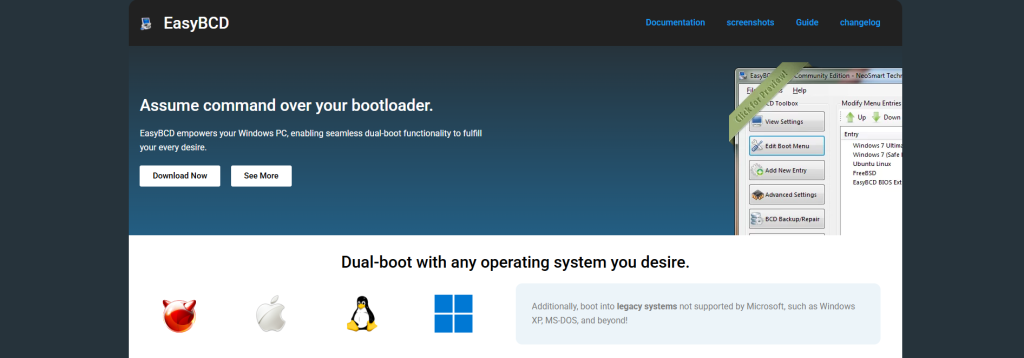
Boot management is one of the most important parts of a computer system, especially when multiple operating systems are installed on the same machine. Many users who work with Windows and Linux dual-boot setups often struggle with configuring boot entries manually. This is where tools like EasyBCD become extremely useful. EasyBCD is widely known for simplifying the process of editing and managing the Windows bootloader. One of the most common questions users ask is whether EasyBCD can actually create boot entries, and the answer is both simple and powerful: yes, it can.
To understand how it works, it is important to first understand what boot entries are and why they matter in a multi-operating system environment.
Understanding Boot Entries in Simple Terms
A boot entry is basically a saved instruction that tells your computer which operating system to load when it starts. Every time your computer powers on, the bootloader reads these entries and presents you with a menu if more than one operating system is available.
Without properly configured boot entries, a system may fail to start an operating system, or it may boot directly into one OS without giving the user a choice. This becomes a major limitation when users want flexibility between different systems like Windows 10, Windows 11, or Linux distributions.
Boot entries control not only which operating system starts but also how it starts. They include details such as the location of system files, the partition information, and sometimes additional boot parameters.
What EasyBCD Actually Does
EasyBCD is designed to simplify all the complex tasks involved in managing the Windows Boot Configuration Data (BCD). Instead of using command-line tools like bcdedit, users get a graphical interface that makes everything easier to understand and control.
The software allows users to view existing boot entries, modify them, and most importantly, create new ones. This is especially helpful for users who are not comfortable working with advanced system commands.
EasyBCD acts as a bridge between the user and the Windows bootloader system, making it possible to configure dual-boot or multi-boot environments without deep technical knowledge.
Can EasyBCD Create Boot Entries?
Yes, EasyBCD can create boot entries, and this is one of its core features. When you install another operating system or want to add an existing installation to the boot menu, EasyBCD allows you to add a new entry with just a few steps through its interface.
For example, if you install Linux alongside Windows, the system might not automatically show Linux in the boot menu. EasyBCD lets you manually add Linux as a boot option so that both systems appear when your computer starts.
Similarly, it can create entries for older Windows versions, recovery partitions, or even custom boot loaders. This flexibility is what makes EasyBCD a popular tool among tech enthusiasts and IT professionals.
How EasyBCD Handles Boot Entry Creation
When a user creates a new boot entry using EasyBCD, the software modifies the Windows Boot Configuration Data store. This store is a special database used by Windows to manage startup information.
Instead of manually editing system files or using command-line instructions, EasyBCD provides a form-based interface where users select the type of operating system, choose the drive or partition, and define the boot settings.
Once the user saves the configuration, EasyBCD writes the new entry into the BCD store. The next time the computer restarts, the Windows bootloader reads this updated information and displays the new option in the boot menu.
This process significantly reduces the risk of errors compared to manual configuration, which can sometimes lead to boot failures if done incorrectly.
Support for Multiple Operating Systems
One of the strongest advantages of EasyBCD is its ability to handle multiple operating systems smoothly. Whether it is Windows 7, Windows 10, Windows 11, or Linux distributions like Ubuntu, EasyBCD can integrate them into a single boot menu.
It does this by using different boot methods depending on the operating system. For Windows-based systems, it directly integrates into the BCD store. For Linux systems, it often uses chainloading, which means it hands over control to the Linux bootloader when selected.
This flexibility ensures that users can run multiple systems on the same computer without complex manual configuration.
Ease of Use Compared to Manual Methods
Without tools like EasyBCD, creating boot entries requires using advanced command-line utilities. These tools are powerful but not user-friendly. A small mistake in commands can lead to boot issues or system instability.
EasyBCD eliminates this difficulty by providing a clean interface. Users can see exactly what they are doing, which reduces the chances of errors.
Even beginners can manage dual-boot setups without needing to learn technical bootloader commands. This accessibility is one of the reasons EasyBCD is widely recommended in tutorials and IT guides.
Safety and Reliability
While EasyBCD is powerful, it is also designed with safety in mind. It allows users to back up existing boot configurations before making changes. This means that if something goes wrong, the system can be restored to its previous state.
However, like any system-level tool, it should still be used carefully. Incorrect settings can still affect the boot process, so users are encouraged to understand what they are doing before applying changes.
Real-World Use Cases
EasyBCD is commonly used in many real-world scenarios. IT professionals often use it when setting up test environments where multiple operating systems are needed. Developers use it to test software across different platforms without needing multiple machines.
Gamers and general users also use EasyBCD when they want to install Linux alongside Windows for experimentation or privacy purposes. In all these cases, the ability to create and manage boot entries easily is essential.
Limitations to Keep in Mind
Although EasyBCD is very useful, it is not a replacement for understanding how boot systems work. Some advanced configurations, especially on newer systems using UEFI and Secure Boot, may require additional steps outside of EasyBCD.
In some cases, Linux distributions may need manual adjustments even after adding boot entries. This means that while EasyBCD simplifies the process, it does not eliminate all complexity.
Conclusion
So, can EasyBCD create boot entries? The answer is clearly yes. In fact, it is one of the main purposes of EasyBCD. It allows users to easily add, modify, and manage boot entries without dealing with complicated command-line tools.
By providing a simple interface for managing the Windows bootloader, EasyBCD has become a valuable tool for both beginners and advanced users. It makes dual-boot and multi-boot setups far more accessible and reduces the risk of errors during configuration.
While it still requires careful use, its ability to create and manage boot entries efficiently makes it one of the most practical utilities for system boot management today.