


Bookkeeping has a reputation as the chore small business owners put off until tax season forces their hand. Then comes the scramble: a shoebox of receipts, a bank feed with hundreds of uncategorized transactions and a nagging feeling that something important was missed. The fix is not more effort at the end of the year. It is a little effort, applied consistently, throughout the year.
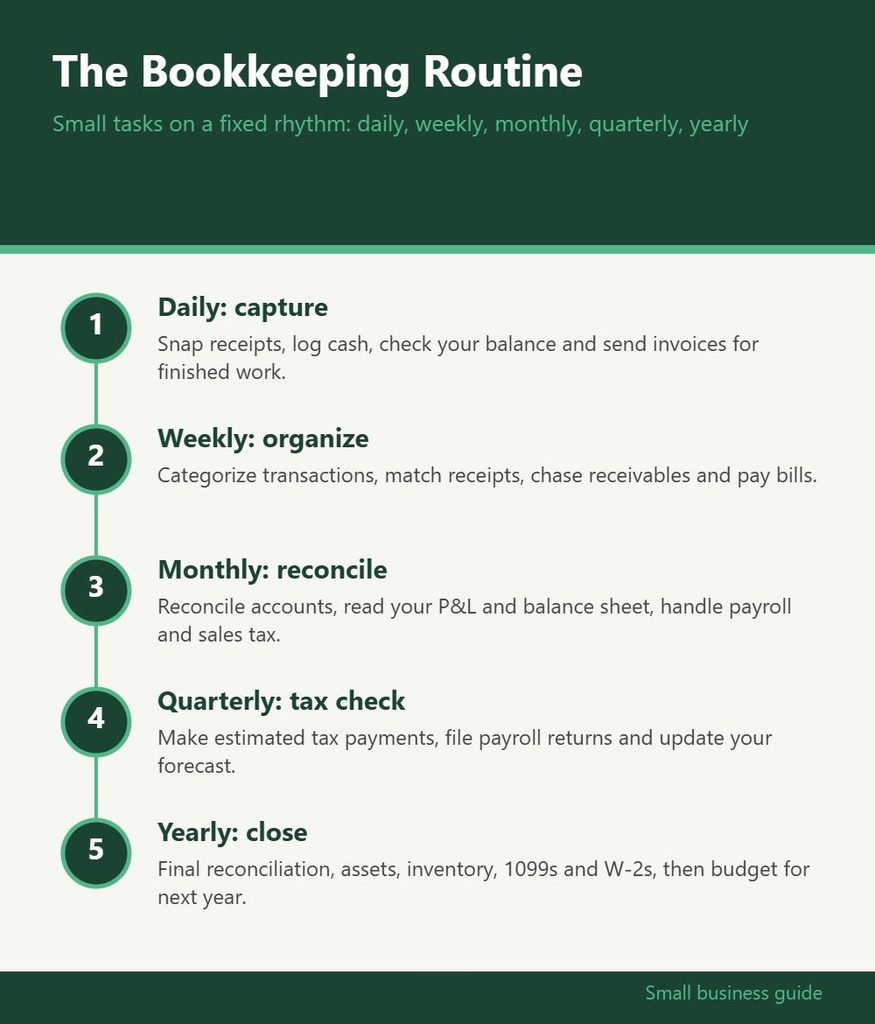
A good bookkeeping routine breaks the work into small, predictable tasks tied to a rhythm: daily, weekly, monthly, quarterly and yearly. Each layer builds on the one below it, so by the time you reach year end, most of the heavy lifting is already done. The infographic below summarizes the routine, and the sections that follow explain each step and why it matters.
Daily: Capture Everything as It Happens
The daily layer is about capture, not analysis. Its goal is to make sure no transaction or document disappears before it reaches your records. For most small businesses, this takes five to ten minutes.
- Snap and file receipts. Photograph paper receipts as soon as you get them, using your accounting software’s mobile app or a receipt capture tool. Faded thermal paper is a common source of lost deductions.
- Record cash sales and expenses. If you take cash, log the day’s takings and any cash paid out. Cash is the easiest money to lose track of.
- Glance at your bank balance. A quick look tells you whether anything unexpected cleared and whether you have enough for upcoming bills.
- Send invoices for completed work. Billing on the same day keeps cash flowing and prevents forgotten invoices.
Businesses with very low transaction volume may be able to fold daily tasks into the weekly routine. The principle is the same: capture information while it is fresh.
Weekly: Categorize, Pay and Follow Up
The weekly session is where raw transactions become organized records. Block out thirty to sixty minutes on the same day each week. Friday afternoons or Monday mornings work well for many owners.
- Categorize bank and card transactions. Review the transactions imported into your accounting software and assign each to the correct category. Doing this weekly means you still remember what each charge was for.
- Match receipts to transactions. Attach receipt images to the corresponding entries so documentation is ready if you are ever asked to support a deduction.
- Review accounts receivable. Check which invoices are due or overdue and send reminders.
- Review and pay bills. Look at upcoming bills, schedule payments and take advantage of any early payment discounts.
- Back up important files. If you keep any records outside cloud software, make sure they are backed up.
Here is what that looks like in practice for a small landscaping company. Every Friday at three o’clock, the owner opens the accounting app on a laptop. She clears the thirty or so transactions from the week, most of which are already sorted by rules she set up for fuel, equipment rental and supplies. She attaches the two receipts that did not sync automatically, notices that one customer is a week overdue and sends a reminder, then schedules payment for the mulch supplier before the early payment discount expires. The whole session takes about forty minutes, and it means her books are never more than seven days out of date.
If you miss a week, do not try to make it up with a marathon session at the end of the month. Simply do two weeks in the next session and get back on schedule. Consistency matters more than perfection.
The weekly habit is the single most important part of the routine. Owners who categorize transactions every week rarely face a year-end crisis. If you want help building that habit, GrowBizLab has practical guides on bookkeeping basics, cash flow and choosing accounting software, and this website is a good place to start if you are setting up your system for the first time.
Monthly: Reconcile and Review Your Numbers
Once a month, step back and confirm that your records match reality. This is also the point where bookkeeping starts paying you back with useful information.
Reconcile every account
Reconciliation means comparing your accounting records to your bank, credit card and loan statements and making sure they agree. Most accounting software has a reconciliation tool that walks you through it. Differences usually come from duplicated transactions, missing entries, bank fees you did not record or payments that have not cleared yet. Reconciling monthly catches errors while they are still easy to trace.
Run and read your core reports
Pull three reports at minimum:
- Profit and loss statement: shows revenue, expenses and net profit for the month.
- Balance sheet: shows what the business owns, owes and the owner’s equity at a point in time.
- Cash flow statement or summary: shows where cash came from and where it went.
Compare this month to last month and to the same month last year. Look for expenses that crept up, revenue that dipped or margins that changed. You do not need to be an accountant to notice that software subscriptions doubled or that a key client stopped buying.
Handle payroll and sales tax tasks
If you have employees, confirm that payroll ran correctly and that payroll tax deposits were made on schedule. If you collect sales tax, check your filing frequency, which depends on your state and sales volume, and make sure collected tax is set aside. Sales tax is money held on behalf of the state, not business income.
Quarterly: Taxes and a Bigger-Picture Check
Every three months, add a few tasks focused on taxes and trends.
- Estimated tax payments. In the United States, many self-employed people and business owners need to make quarterly estimated tax payments to the IRS and, where applicable, to their state. Your accountant can help you estimate the right amount based on year-to-date profit.
- Quarterly payroll filings. Employers typically have quarterly payroll tax returns to file. Payroll software often handles these, but confirm they were submitted.
- Review the quarter as a whole. Look at three months of profit and loss together. Quarterly views smooth out one-off spikes and make real trends easier to spot.
- Revisit your budget and forecast. Compare actual results to plan and update your forecast for the rest of the year.
- Check in with your accountant. A short quarterly call can surface tax planning opportunities before it is too late to act on them.
Yearly: Close the Books and Prepare for Next Year
If the daily, weekly, monthly and quarterly layers have been done, year end becomes a review rather than a rescue mission.
- Complete the final reconciliation for December or your fiscal year end and make sure every account balances.
- Review fixed assets. Record any equipment, vehicles or other major purchases made during the year. Your accountant will advise on how they should be depreciated or expensed.
- Count inventory if you carry stock, and reconcile the count to your records.
- Prepare contractor forms. In the U.S., businesses that pay independent contractors above a threshold generally need to issue information returns such as Form 1099-NEC. Collect W-9s during the year so this step is quick.
- Issue employee wage statements such as W-2s if you have staff, usually through your payroll provider.
- Gather documents for your tax return and share year-end reports with your accountant.
- Review record retention. Keep tax records for as long as required. Retention periods vary by document type and situation, so ask your accountant what applies to you.
- Set goals and a budget for the coming year using the full year’s actual numbers.
Year end is also a good moment to clean up your chart of accounts, remove categories you never use and add ones that would make next year’s reports clearer.
Tools That Make the Routine Easier
You can run this routine with a spreadsheet, but accounting software makes it far easier. Look for features such as automatic bank feeds, receipt capture, rules that auto-categorize recurring transactions, built-in reconciliation and standard financial reports. Pair it with a dedicated business bank account and a business credit card so personal and business transactions never mix. That separation alone eliminates a large share of bookkeeping headaches.
Calendar reminders help too. Put the weekly session, monthly reconciliation and quarterly tax dates on your calendar as recurring events. Treat them like client meetings you cannot skip. For more information on software options, accountant relationships and organizing your finances, the finance section at GrowBizLab offers owner-friendly explanations, and you can find more information there on comparing bookkeeping tools.
When to Bring in Help
A routine works best when someone owns it. For many solo owners, that someone is you. As the business grows, it can make sense to hand off parts of the work. A part-time bookkeeper can take over weekly categorization and monthly reconciliation, while an accountant or CPA handles tax planning, filings and year-end adjustments. Signs it is time to get help include falling more than a month behind, spending more than a few hours a week on bookkeeping or feeling unsure whether your numbers are right.
Even with outside help, stay involved at the monthly review. You know the business better than anyone, and reading your own reports is how you turn bookkeeping from a compliance task into a decision-making tool.
Common Mistakes to Avoid
- Mixing personal and business spending in the same accounts.
- Letting uncategorized transactions pile up for months.
- Skipping reconciliation because the balance “looks about right.”
- Treating collected sales tax as available cash.
- Forgetting to collect contractor details until filing season.
- Never actually reading the reports your software produces.
A bookkeeping routine is less about discipline than about design. Small tasks, done on a fixed schedule, prevent large problems. Start with the weekly session, add the monthly reconciliation once that habit sticks, and build up from there. Within a few months, you will have cleaner books, calmer tax seasons and a much clearer picture of how your business is really doing.